
SEEDANCE MODEL FAMILY
SEEDANCE VIDEO MODELS
Start with text, an image or reference media. Choose a Seedance model for story scenes, product films and social clips.
Turn text, images and references into video with Seedance 2.5, 2.0, 2.0 Fast and Mini. Create cinematic scenes, product films and social clips for free.
SEEDANCE MODEL FAMILY
Start with text, an image or reference media. Choose a Seedance model for story scenes, product films and social clips.
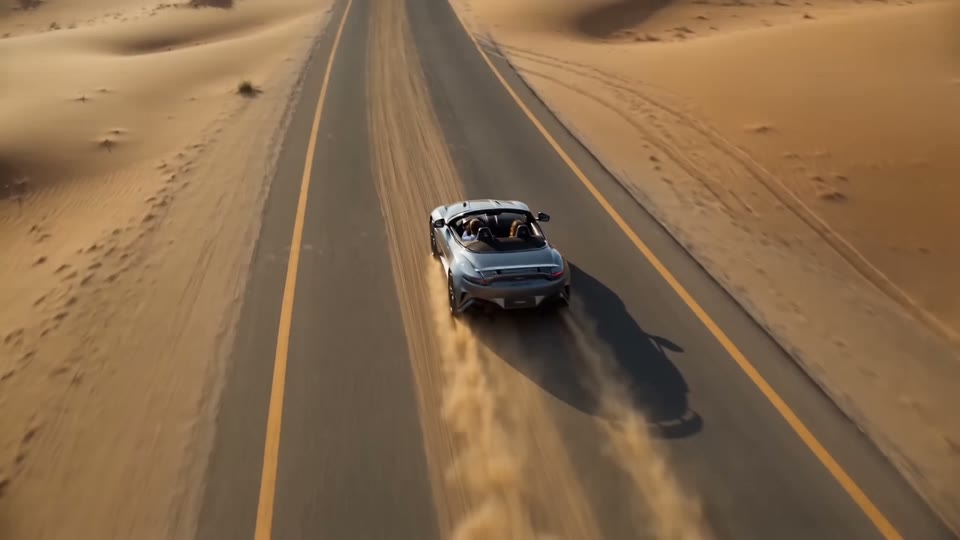
Up to 30 seconds, up to 4KSeedance 2.5 video work across cinematic stories, product films, and social edits.
Up to 15 seconds, up to 1080pSeedance 2.0 motion studies across fantasy scenes, character storytelling, and cinematic action.
Describe a scene, start from an image, or add references for characters, motion and sound. See how the Seedance family turns different inputs into video.
Describe the setting, subject movement and camera work. From a flight through a city above the clouds to a character walking a street at night, start your Seedance video with a prompt.

Upload a portrait, product photo or illustration, then describe the movement. Have a character turn, bring the camera closer, or let the scene unfold beyond the still image.

Bring character, setting, motion and sound references into one creation. Seedance 2.5 accepts image, video and audio references, generates up to 30 seconds in one pass, supports output up to 4K, and enables more precise timed edits.

Watch the examples and see how prompts describe scenes, movement and camera work. Copy a prompt or select “Use this prompt,” then change the subject or setting to make your own video.
Visual example

Reference prompt
Seedance 2.5 · Text to Video
An ancient Chinese city during a lantern festival at night. Fireworks bloom above tiled roofs, warm lanterns line the streets. The aerial camera descends slowly past the rooftops toward a lively market. Deep blue sky, warm practical light, an expansive cinematic atmosphere.
Prompts are written from the example footage, not original generation records. Using one prefills the model and prompt without starting a generation.
Build a storyboard, show a product in detail, or animate a character with Seedance. Choose a scene close to your project and start writing your prompt.
 Seedance 2.5
Turn a scene from your script into a shot with character movement, atmosphere and camera transitions.
 Seedance 2.5
Start from a product image or scene description to create close-ups, use-case scenes and ad footage.
 Seedance 2.5
Combine styling, subject movement and camera work for opening shots, outfit videos and transitions.
 Seedance 2.5
Describe expressions and movements for illustrated characters or miniature figures to create animated clips.
Compare duration, resolution, reference inputs and editing options to choose a Seedance model for your video.
| Feature | Seedance 2.5 | Seedance 2.0 | Seedance 2.0 Mini |
|---|---|---|---|
| Useful for | Long-form stories, multimodal references and precise editing | Short-form generation, multimodal references and flexible control | Lower-cost drafts and iteration |
| Creation modes | Text to Video, Image to Video, Reference to Video | Text to Video, Image to Video, Reference to Video | Text to Video, Image to Video, Reference to Video |
| Duration | 4–30s or Auto | 4–15s | 4–15s |
| Resolution | 480p, 720p, 1080p, 4K | 480p, 720p, 1080p, 4K | 480p, 720p |
| Multimodal references | Up to 30 images, 10 videos, 10 audio files | Up to 9 images, 3 videos, 3 audio files | Up to 9 images, 3 videos, 3 audio files |
| Audio setting | Optional | Optional | Optional |
Plans & Credit Packs
First-month BOGOStart your first paid subscription with any monthly plan and get 100% extra credits in month one.
For accounts that have never had a successful paid subscription. All monthly plans qualify; once per account. Bonus credits expire at the end of the first billing period.
Answers about model selection, text-to-video, image-to-video and writing prompts.
Choose Seedance 2.5 when you need up to 30 seconds, larger multimodal reference sets, precise editing or output up to 4K. Seedance 2.0 fits 4–15-second multimodal generation and editing, while Mini is positioned for lower-cost drafts and iteration.
Text to Video starts from a written scene description. Image to Video uses an uploaded image as visual input and combines it with instructions for motion, camera behavior or scene development.
Start with the subject and setting, then add movement, camera direction, lighting and style. For example: “A person walks down a street at night. The camera follows from behind as warm lights reflect on the pavement.” When starting from an image, focus on the motion and changes you want to see.
Choose a scene in Seedance Video Prompts and Examples, then select “Use this prompt” to open the generator with that model and prompt selected. Change the subject, setting or camera movement before generating your own video.
Seedance 2.5 generates up to 30 seconds in one pass and also supports automatic duration. Seedance 2.0 and Mini offer 4 to 15 seconds.
The generator calculates and displays the credit cost for the selected model and settings before you submit. Check that displayed amount because costs can vary by configuration.
On this site, Seedance 2 Video reflects our domain, seedance2video.ai, with 2 read as “to.” Seedance to Video describes creating videos from text, images and references with the Seedance model family, rather than a single model version.
No. This site (seedance2video.ai) is an independent creation workspace that provides access to supported video-generation models. It is not operated by or presented as the model creator's official website.
Enter a prompt or upload an image, choose a Seedance model, and start creating your video.
Create for FreeIndependent third-party creation platform. Not the official model website.